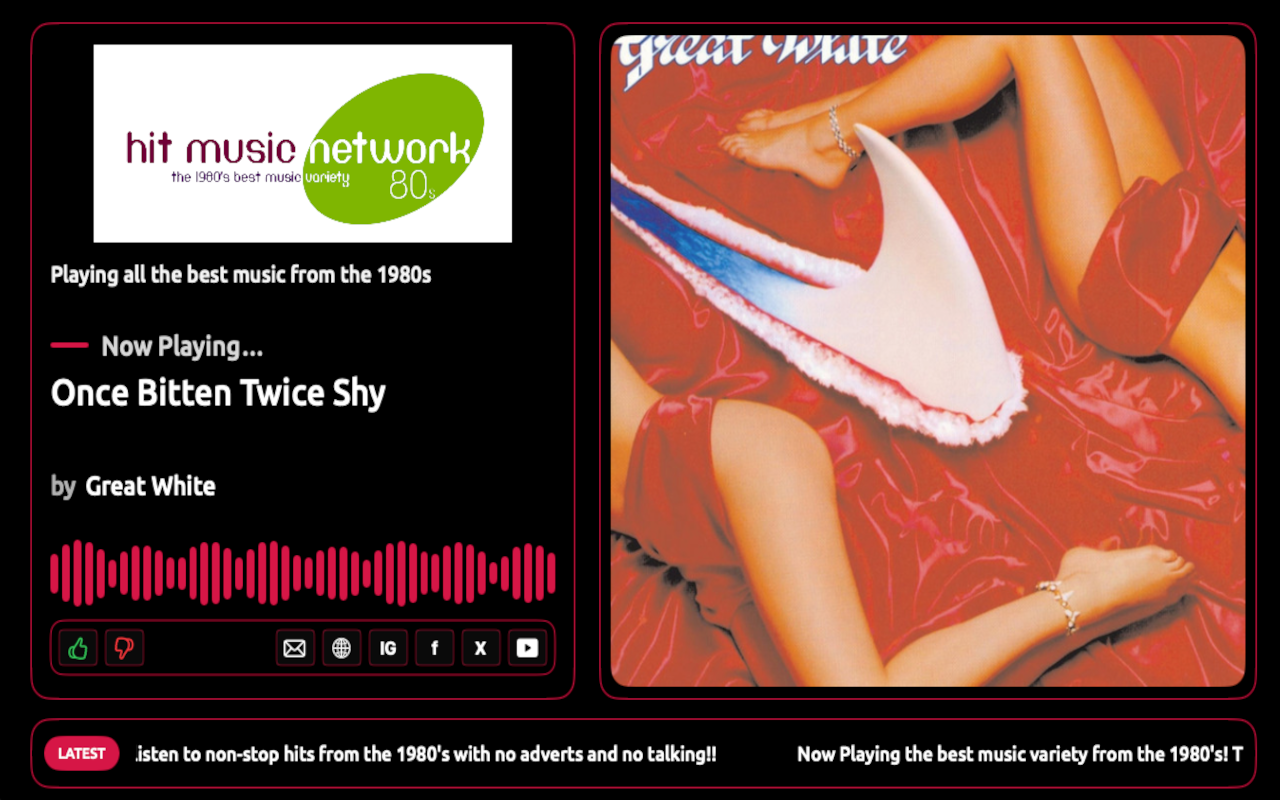
Give your radio or TV station a dedicated, fully branded presence on Windows PCs and Xbox consoles. Your listeners launch your station directly from its own app — not from a directory of competing stations.
The app can operate as a complete radio experience with live audio, Now Playing information, album artwork, Recently Played tracks and listener interaction, or as a full-screen TV / visual-radio app when a video stream is configured.
Branding, colours, fonts, slogans, ticker messages, adverts and other station settings are controlled remotely, allowing you to keep the app fresh without rebuilding and resubmitting it every time something changes.
Run the app as a rich radio player with live audio, metadata, artwork, Recently Played information and listener interaction. If your station also operates a TV, webcam or visual-radio service, add a video stream and the same app can provide a full-screen live television experience. This makes the service suitable for traditional radio, online radio, visual radio, internet TV and hybrid audio/video broadcasters.
Much of the app is driven by your station's remote configuration. Branding, colours, text labels, ticker content, sponsor artwork, stream URLs, social links and other station settings can be updated centrally. That means routine changes can appear in the app without waiting for a new store build and review.
The Windows interface is designed for desktop and laptop listening, while Xbox uses a full-screen television-friendly experience. The same station configuration powers both environments, giving your brand a consistent presence wherever listeners tune in.
Turn passive listening into direct engagement. Optional voting lets listeners give the current track a thumbs-up or thumbs-down. A built-in contact panel can collect song requests, dedications and general messages, while website and social buttons can send listeners directly to your own online channels. Features can be enabled or hidden to suit each station.
Unlike a multi-station directory, the app is dedicated to your brand. When listeners open it they see your logo, your content, your current programme or track, your promotional messages and your interaction options. There is no list of competing stations encouraging them to tune elsewhere.
We prepare your station-specific build for Microsoft Store distribution, including your own app name, identity, branding and artwork. Your listeners install your app directly and return to your station with one click.
Built-in app telemetry can provide insight into app launches, active sessions and platform usage. This helps you understand how listeners are using the service and gives autopo.st the information needed to support and maintain the app. Privacy disclosures and platform requirements are handled as part of the deployment process.
Supply your station branding and streaming details, and we create the station-specific app from our established platform. Your live configuration is hosted remotely so future content and branding changes can be applied dynamically. We then prepare the app for store submission and ongoing operation. There are no separate development projects to commission from scratch.
Yes. With an audio stream it operates as a full radio app. When a video stream is configured it can operate as a full-screen live TV / visual-radio app instead.
No. Many station settings are loaded remotely, including branding, colours, ticker content, adverts, slogans, links and stream details. A new store build is only required when the actual application software needs changing.
Yes. Each station can have its own Microsoft Store listing and app identity, subject to Microsoft certification and store policies.
The service is designed for Windows 10/11 and Xbox, with platform-specific layouts while sharing the same station configuration.
Yes. The app can display remotely managed sponsor or promotional artwork, and the ticker can be used to promote sponsors, campaigns, competitions and station services.
Contact us and we can show you the current Windows and Xbox app in operation, including radio and video modes.
Visit our pricing page, choose the service, create your account and send us the station information and artwork requested during onboarding.